
Get your Shopify store found in ChatGPT and Google’s AI search
How AI assistants pick products, and what a Shopify store can do now: product data, structured data, FAQs, collections, llms.txt and Shopify Catalog.

Written by: Jere Merivirta · Founder, Merivirta Digital
Published 8 min read
Short answer
AI assistants recommend products they can find clear, trustworthy facts about: what the product is, who it suits, what it costs and whether it is in stock. On Shopify that means descriptive product titles and descriptions, filled-in product categories and attributes, FAQ and collection text that answers real questions, and working structured data. Shopify handles llms.txt and Shopify Catalog for you, but what they say comes from your product data.
Last tested
Many shoppers no longer type “wool socks” into a search box. They ask ChatGPT or Google: “Which wool socks are warm, don’t itch and survive the washing machine? Under 30 euros.” The answer isn’t ten links. It’s two or three products, with a reason for each.
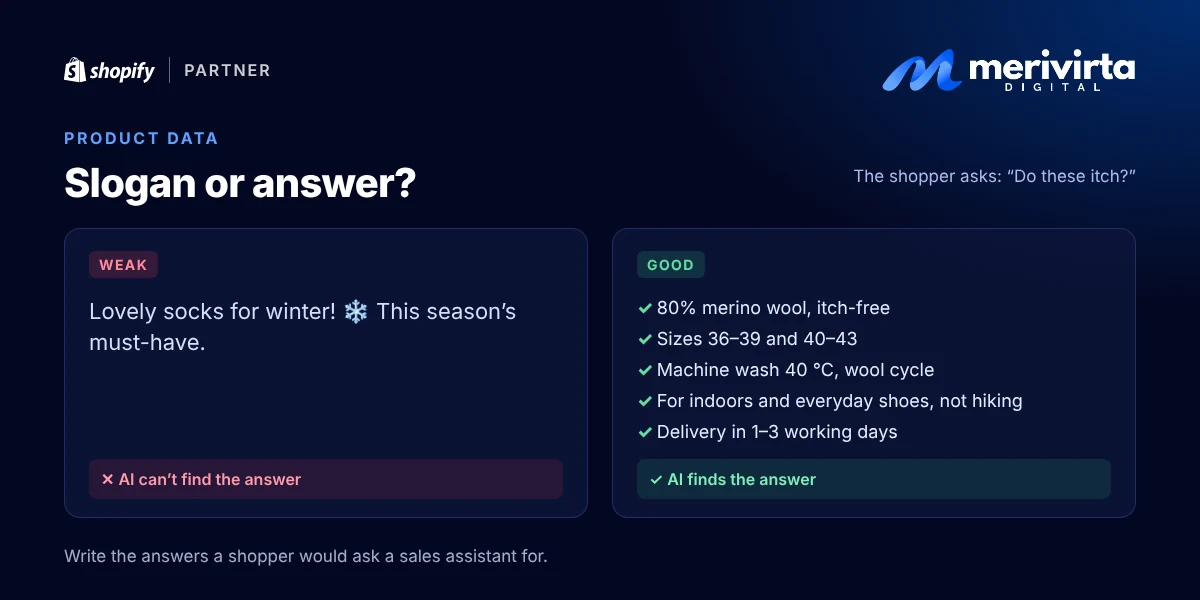
So why those products? AI assistants pick the ones they can find the clearest, most reliable facts about. If your description just says “Lovely socks for winter”, the assistant has no way of knowing whether they itch, so it recommends someone else’s socks.
Here’s where AI assistants read your Shopify store’s information, and what you can do about it today.
Where AI assistants get your store’s information
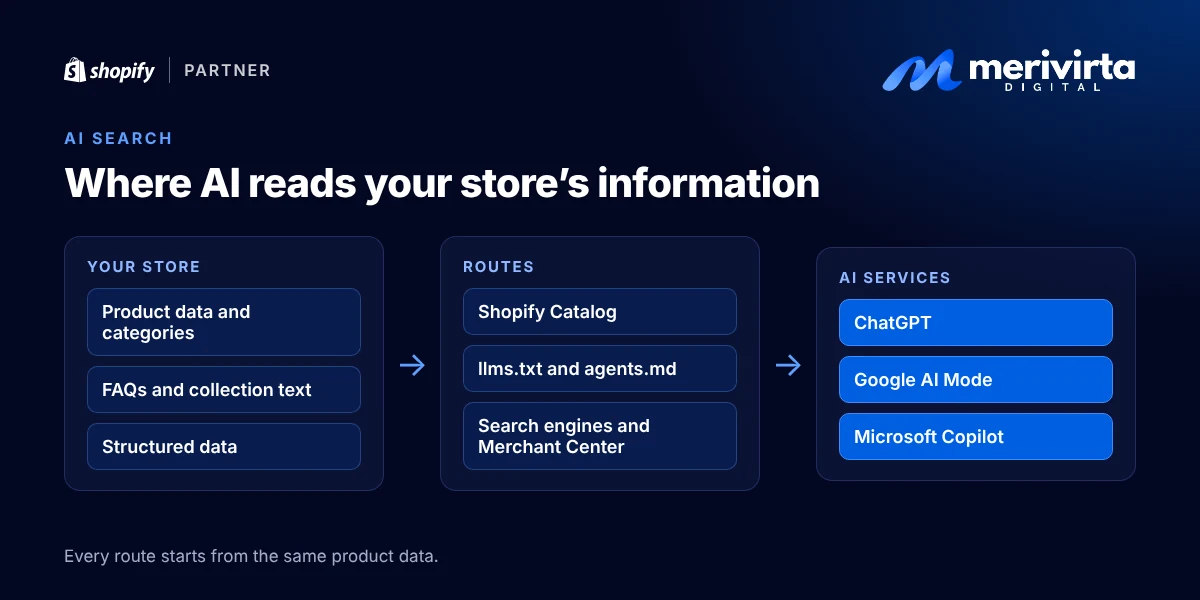
AI services build their answers from several sources:
- Your own pages: product pages, collections, FAQs and help pages.
- Structured data: a machine-readable version of each product in your page code (name, price, availability, brand).
- Shopify Catalog: Shopify’s own product catalog, which feeds products from Shopify stores straight to AI services.
- Everything else: Google Merchant Center, reviews, comparison sites and forums.
The first three are in your hands, and all three are built from the same product data. That’s where to start.
1. Product data: write answers, not slogans
AI assistants compare products the way a careful shopper does: they look for facts. A good product page answers the questions a customer would ask a sales assistant in a shop.
- Product title: what the product is and what sets it apart. “Merino wool socks, itch-free, 2 pairs” says more than “Winter Classic”.
- Description: material, size and dimensions, what it’s for, who it suits and who it doesn’t, care instructions, what’s in the box and what it’s compatible with. Write full sentences, not keyword lists.
- Product category: pick a Shopify standard category in the Category field on the product page. The category brings ready-made attribute fields such as colour, material and size. Fill them in: search engines and AI assistants understand them without guessing.
- Variants: clear names (“Black / 39–42”) and the barcode (EAN or GTIN) filled in when the product has one.
- Images: alt text on every image that says what it shows.
- Price, stock and shipping: kept up to date. An assistant won’t recommend a product whose availability is unclear.
Don’t stuff descriptions with keywords or generic AI-written copy. AI search favours precise, product-specific facts, and the same facts help shoppers decide.
2. Structured data: a product card for machines
Structured data is a summary of the product written into the page code: name, images, price, currency, availability and brand. Shoppers never see it, but search engines and AI services read it.
Most modern Shopify themes output product structured data out of the box. Problems usually come from one of three things: an old theme, a heavily customised theme, or an app that adds a second, conflicting version of the same product. Check with Google’s free Rich Results Test: enter a product page URL and see whether the product is found and whether there are errors.
Google says plainly that its AI features need no special markup. Ordinary, valid structured data that matches the visible page is enough. The same goes for Google Merchant Center: keep your product feed and store details current.
For your developer: on the product page, {{ product | structured_data }} outputs a ProductGroup with the variants. Make sure no theme section or app outputs a second Product, and add Organization on the home page and BreadcrumbList on collections.
3. FAQs: answer the questions shoppers actually ask
People ask AI assistants full questions: “Can I machine-wash this?”, “Will it arrive before Christmas?”, “Does it fit an iPhone 15?” If the answer is already in your store, the assistant can use it.
- Build your FAQ from customer service emails and chats. The questions you answer every week belong in the store.
- Add product-specific FAQs to product pages and collections, and general ones (shipping, returns, payment) to their own page.
- Write the answers as visible text. Hidden text or text inside images doesn’t help.
Shopify’s admin also has a Knowledge base (under Sales channels > Agentic). It holds store facts and frequently asked questions that AI services use when they answer questions about your store. The answers aren’t shown in your store; they’re source material for AI. Shopify suggests some for you: review them and fix anything that’s off.
4. Collection text: say who the collection is for
A collection page is often just a product grid. But AI assistants love questions like “which coffee maker suits a small office”, and collection text is often where the answer lives.
Give every important collection a 2–4 sentence description: what’s in it, how to choose and who each option suits. Bigger collections can take a short buying guide and a few questions at the bottom of the page. While you’re there, check that your theme actually shows the collection description: not every theme does by default.
5. llms.txt and agents.md: Shopify makes them for you
llms.txt is a text file for AI services that says what a site is and where its key information lives. Shopify automatically publishes three such files for every store: /agents.md, /llms.txt and /llms-full.txt. They hold the store’s basics, browsing links, currency and the addresses AI agents use to look up products and build a cart.
To see yours, open yourstore.com/llms.txt in a browser.
Two honest notes:
- Usually there’s nothing to do. Shopify’s version stays current as your store settings change. You don’t need an app just to create an llms.txt.
- The file alone won’t lift your visibility. Google says it needs no special AI files for its AI features. The file helps agents find the right addresses, but recommendations come from your product data.
If you’ve ever edited your store’s robots.txt, check that it doesn’t block search bots such as Googlebot or ChatGPT’s search crawler (OAI-SearchBot).
For your developer: a custom version goes in the theme as templates/agents.md.liquid (or llms.txt.liquid for that URL only). Use the URLs from the agents object instead of hard-coding them, and leave out contact details: the file is cached and served to every agent.
6. Shopify Catalog: products straight into AI services
Shopify Catalog is Shopify’s catalog of products from Shopify stores. AI services pull products, prices and availability from it directly instead of guessing from your pages. Catalog uses the product title, description, images, price, availability and shipping speed, so sections 1–4 directly shape how your products look in an AI answer.
In the admin, this is controlled in the Agentic Storefronts sales channel (Sales channels > Agentic). There you choose which AI services receive your product data: ChatGPT, Microsoft Copilot and, for selected stores, Google’s AI Mode and Gemini. Shopify turns the channel on automatically for eligible stores.
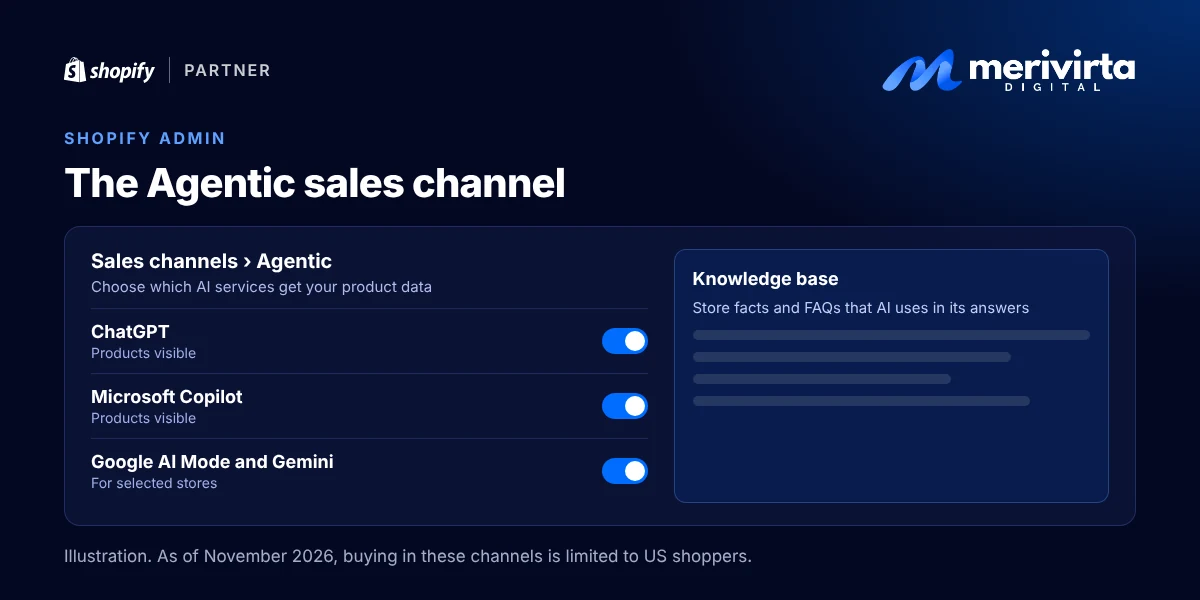
As of November 2026, buying in these channels is limited to shoppers in the United States. If you sell to the US, check the channel settings now. If not, this is the moment to get your product data ready before it expands.
How shopping is changing
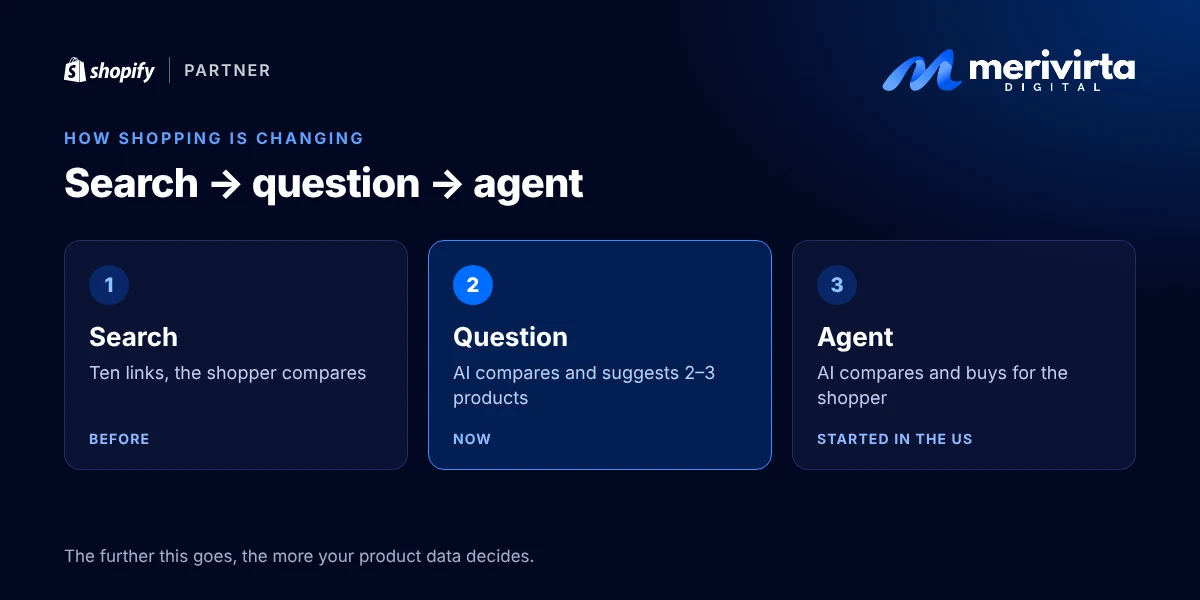
Online shopping is moving into its third stage:
- Search: the shopper searches, gets ten links and compares across tabs.
- Question: the shopper asks an AI assistant, which compares for them and suggests two or three products. This is where we are now.
- Agent: the shopper hands over a task (“reorder the running socks I bought last time, size 43, under 20 euros”) and the AI handles the comparing and the buying. This has already started in the US.
And it isn’t just ChatGPT. In October 2026, ChatGPT sent 52% of the traffic that AI chatbots referred to websites worldwide, Google Gemini 29%, Perplexity 15%, and Claude and Microsoft Copilot about 2% each (StatCounter). In Finland, Gemini is close behind ChatGPT: 35% against 41%. Statistics Finland reports that 41% of Finns aged 16–89 used generative AI in 2025.
It’s moving fast. Shopify reports that in early 2026, traffic from AI to Shopify stores was eight times higher than a year earlier, and orders from AI searches nearly 13 times higher. McKinsey estimates that commerce run by AI agents could reach 3–5 trillion dollars worldwide by 2030.
Why it’s worth acting now
- AI picks only a few. Page two of search results was bad, but at least you were there. An AI answer often holds just two or three products.
- Fixing product data takes time. Hundreds of descriptions, categories and attributes don’t get fixed in a weekend. Start now and you’re ready when AI shopping reaches your market.
- Nothing is wasted. The same fixes improve Google search, Shopping ads and your store’s own search, and shoppers find answers faster.
Where to start
Start with your best sellers and most important collections:
Once these are done, move on to the next products. And try it yourself: ask ChatGPT or Google the same question your customers would, and see what the answer says about your store.
Sources: Shopify’s agentic commerce guide, Shopify’s developer docs on agents.md and llms.txt and the structured_data filter, the Shopify Help Center on the Knowledge base, Google’s guide to AI features and your website StatCounter’s AI chatbot market share worldwide and in Finland, Statistics Finland’s ICT use survey 2025 and Digital Commerce 360 on McKinsey’s forecast.
Want to know how your store looks through an AI assistant’s eyes? Ask Virta below.
Questions and answers
Does my Shopify store need an llms.txt file?
Not one you make yourself. Shopify automatically publishes /agents.md, /llms.txt and /llms-full.txt for every store, with the store’s basics and the addresses AI services can use to look up products. Google says it does not use files like these for its AI features. Your product data matters far more.
Can shoppers already buy from my Shopify store inside ChatGPT?
Through Shopify’s Agentic Storefronts channel, products appear in ChatGPT, Microsoft Copilot and, for selected stores, Google’s AI Mode. As of November 2026, buying in these channels is limited to shoppers in the United States. If you sell to the US, check the channel settings now; otherwise, use the time to get your product data in shape.
Do I need special structured data for AI search?
No. Google states that its AI features need no special markup. The standard product structured data most Shopify themes already output is enough, as long as it is valid and matches what the page shows.
Will AI search replace Google search?
Not entirely, but more and more purchases start with a question to an AI assistant. The good news is that the same fixes help in Google search and AI search alike, and they make your store clearer for shoppers too.
Want this done for your store?
Ask Virta, my AI assistant. It answers right away, collects the details, and I get back to you personally.
Ask VirtaKeep reading
-
 Video
Problems and fixes
Shopify product images: how to make images that sell without slowing your store
Size, aspect ratio, framing, alt text, variant images and Google Shopping and Meta feeds. Shopify’s and Google’s guidance, plus a ready checklist for product images.
-
 Video
Problems and fixes
Black Friday on Shopify: the checklist before your sale
Get your Shopify store ready for Black Friday: discounts and combinations, the EU 30-day lowest price, inventory, delivery times, checkout and abandoned carts.
-
 Video
Problems and fixes
Why is my Shopify store slow? How to find the cause and fix it
See how fast your Shopify store really is, find what slows it down (apps, large images, add-ons, fonts) and fix it safely, without breaking your live store.
