
In App Store review
Product Feed Manager
Import and sync supplier CSV and XML product feeds
Turn your suppliers’ CSV and XML feeds into store products that stay up to date automatically.
Ask about this app See the features
What it does
Import product feeds from suppliers, wholesalers and brands you are authorised to sell for. Map feed fields to Shopify, group rows into variants, turn availability text into inventory and preview every product before anything is written.
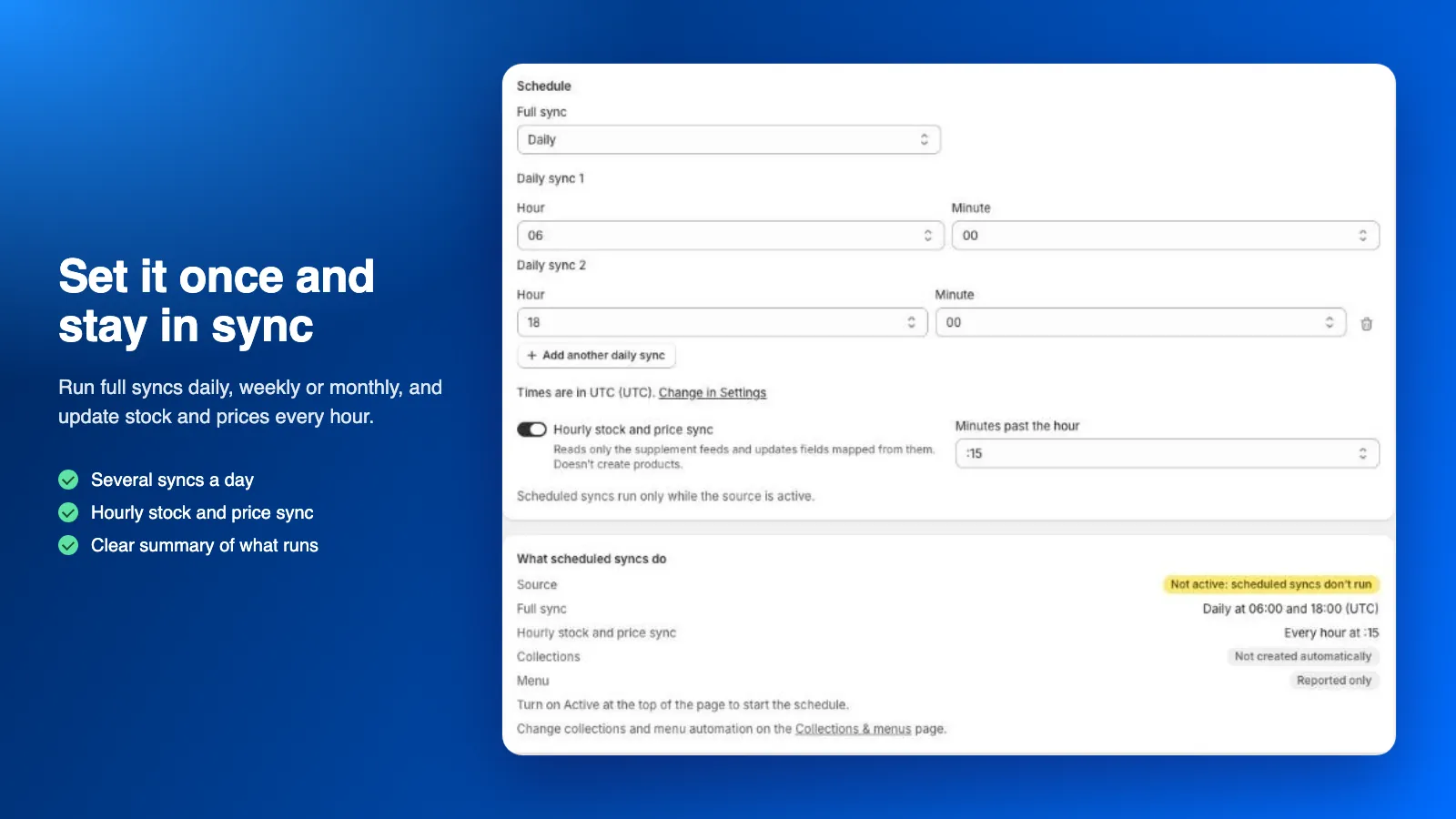
Existing products are linked once by SKU, barcode, ID or handle, then updated by their Shopify ID to avoid duplicates. Schedule full syncs daily, weekly or monthly, add an hourly stock and price sync, and build collections and menus from feed categories.
Nothing changes in your store until you turn on store updates, and you choose which fields the app may update.
Who it’s for
-
Retailers buying from wholesalers
Bring in the product files your wholesalers provide and keep prices and stock current without copying data by hand.
-
Dropshipping stores
Sell products from suppliers who share a feed, with an hourly stock and price sync so your store shows what is available.
-
Stores with several suppliers
Each supplier is its own source with its own mapping, schedule and run reports, and one menu can combine them all.
Features
-
CSV and XML feeds
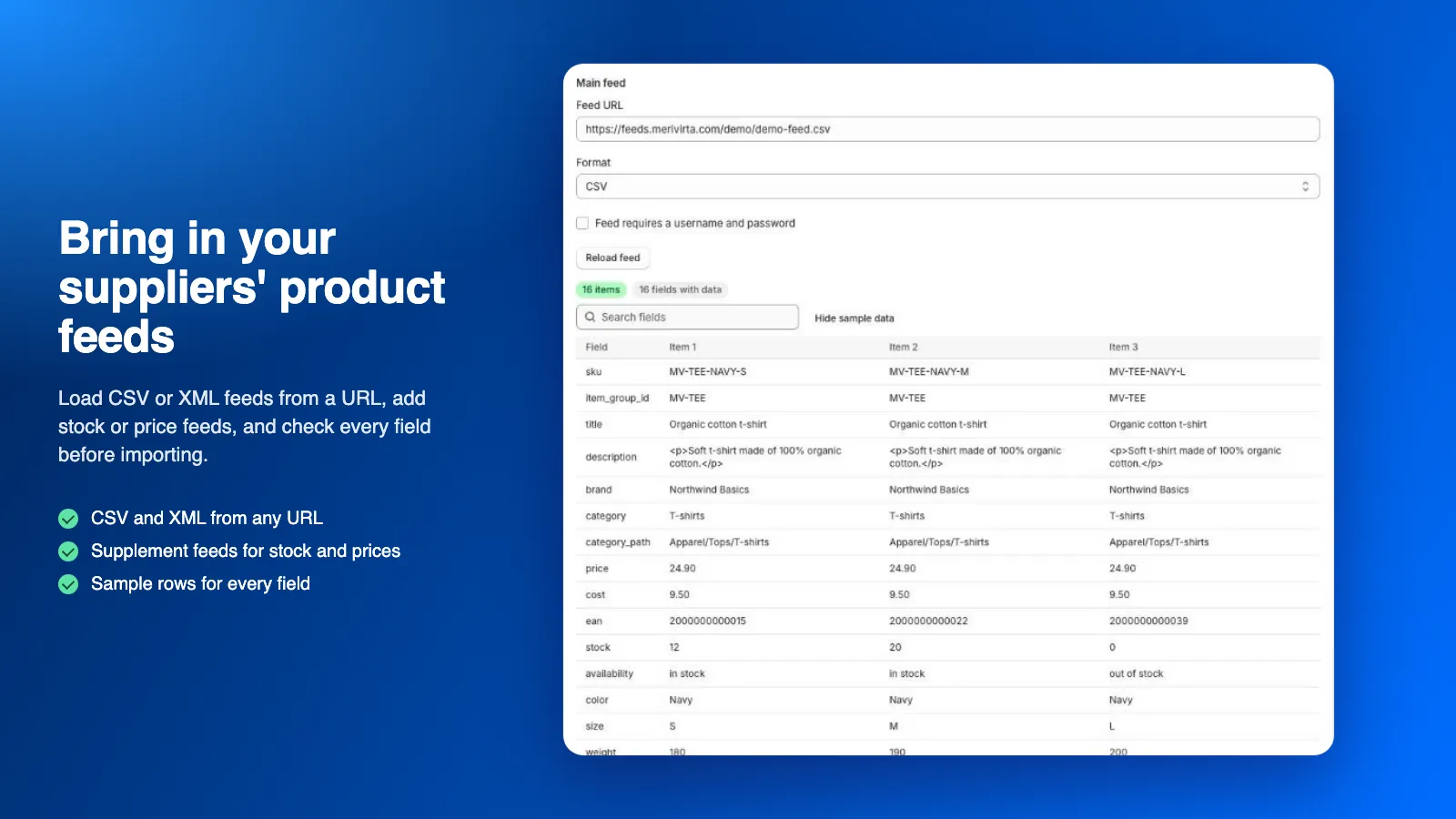
Load feeds from a URL, including feeds behind a username and password. The format is detected automatically.
-
Drag-and-drop mapping
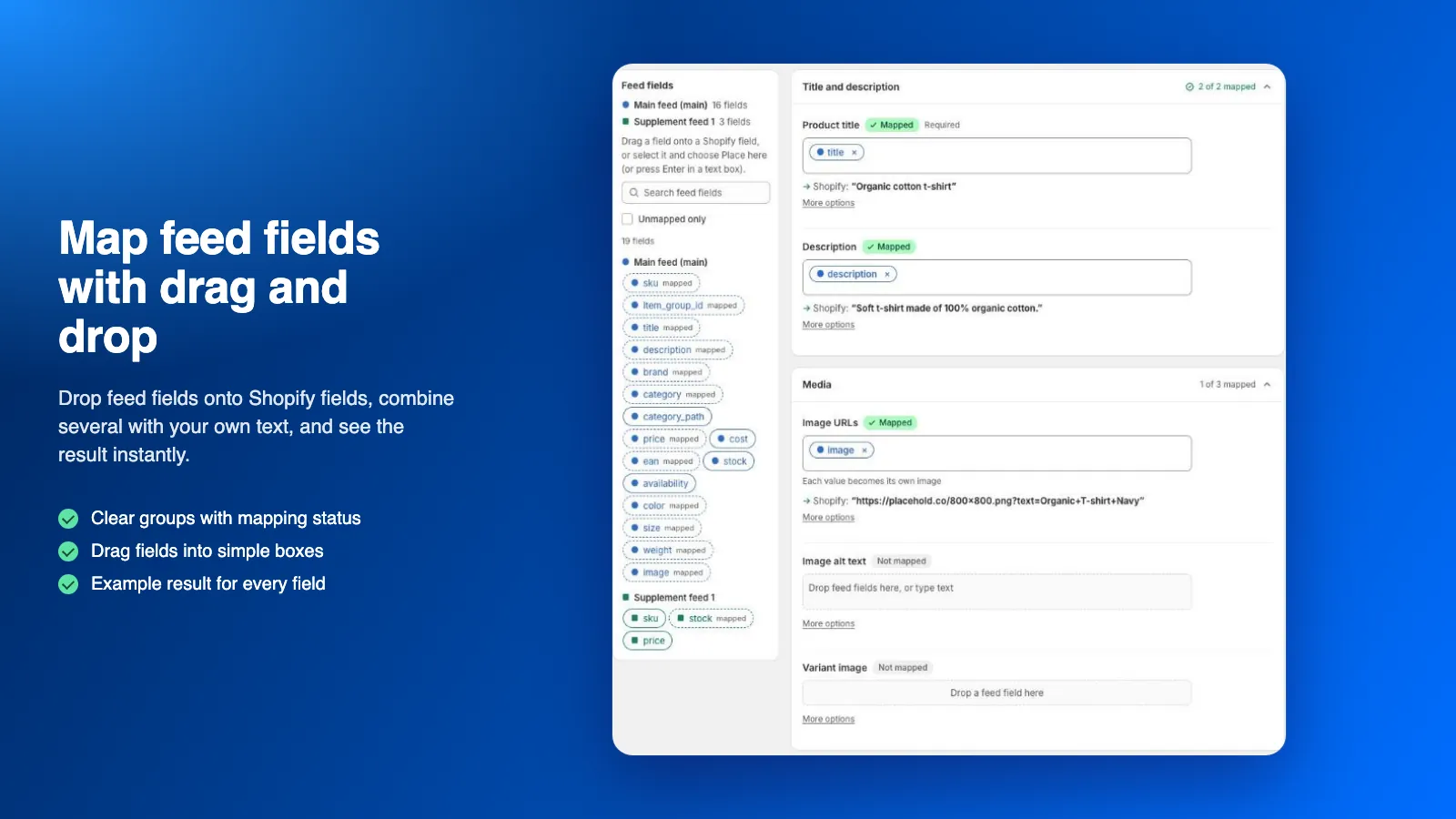
Drop feed fields onto Shopify fields, combine several with your own text and see an example result for every field.
-
Variants from feed rows
Group rows into one product with size, colour and other options. Each row becomes a variant with its own SKU, price, stock and image.
-
Preview before importing
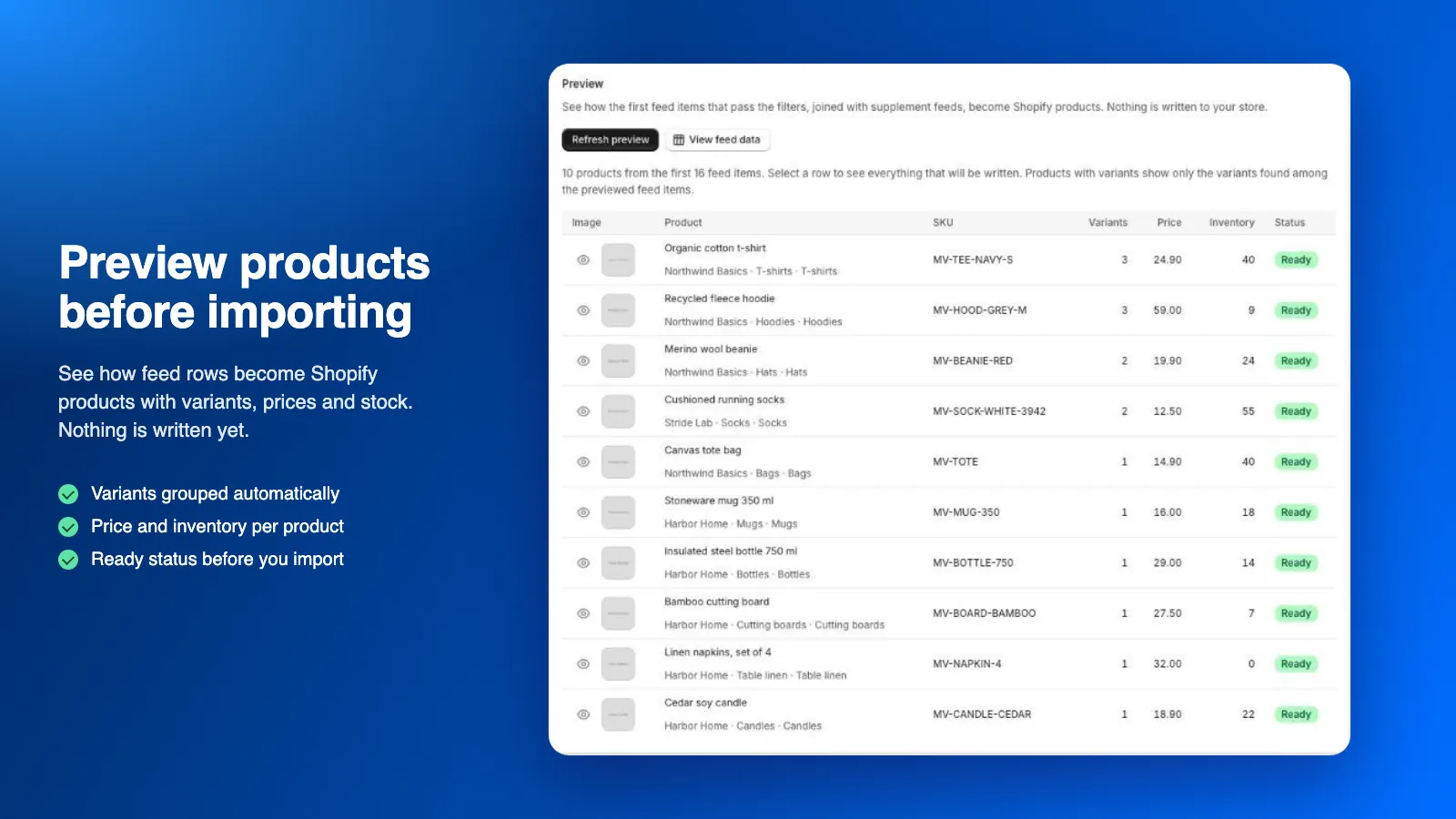
See how feed rows become products with variants, prices and stock. Nothing is written yet.
-
No duplicates
Existing products are linked once by SKU, barcode, ID or handle, then always updated by their Shopify ID.
-
Scheduled syncs
Full syncs daily (up to four times a day), weekly or monthly, plus an hourly stock and price sync from a supplement feed.
-
Collections and menus
Create collections from a feed field and a navigation menu from category paths, with a preview before anything is created.
-
Run reports with undo
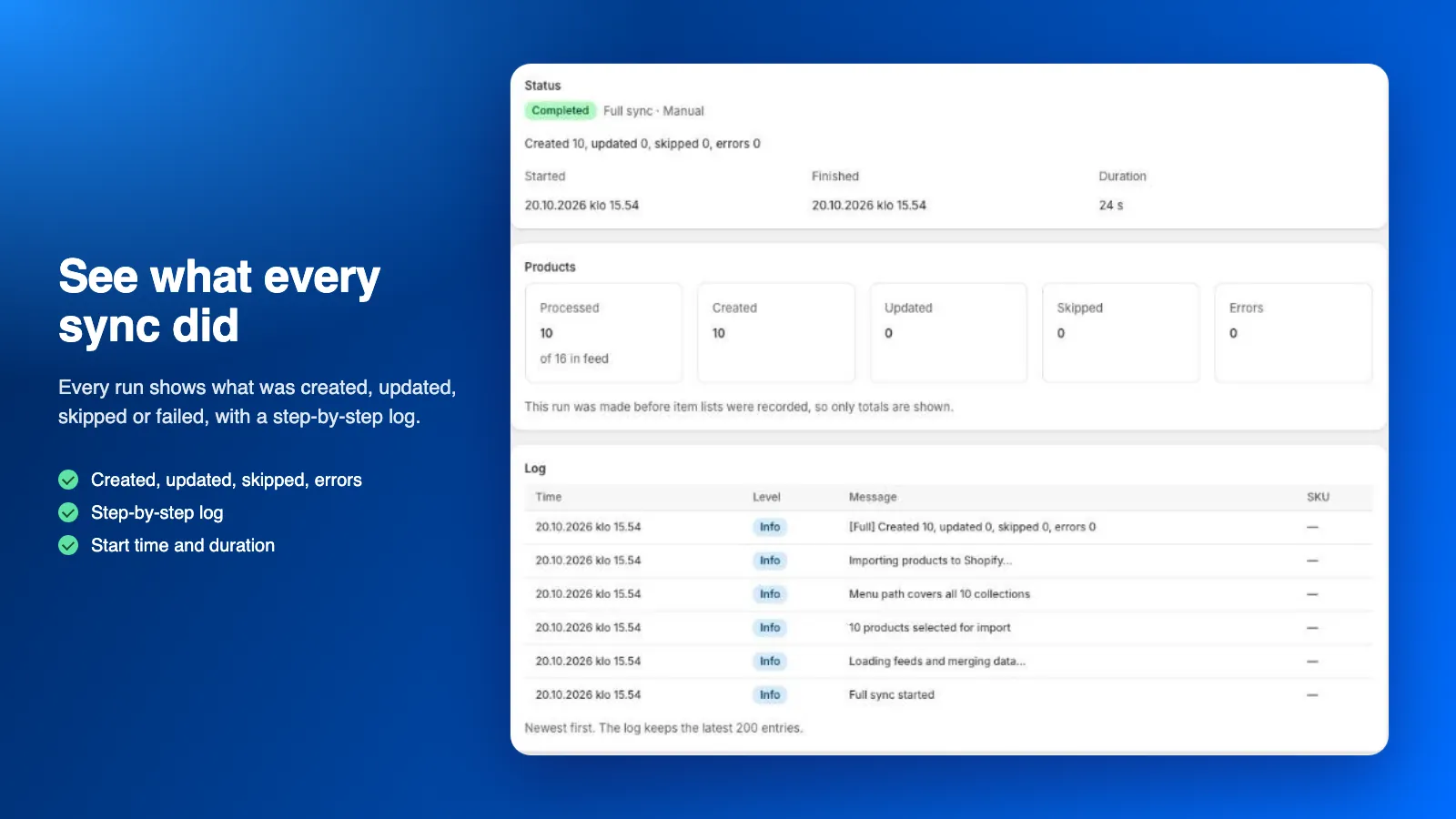
Every run shows what was created, updated, skipped or failed, with a step-by-step log. Pause, cancel or undo a run.
See it in action
-
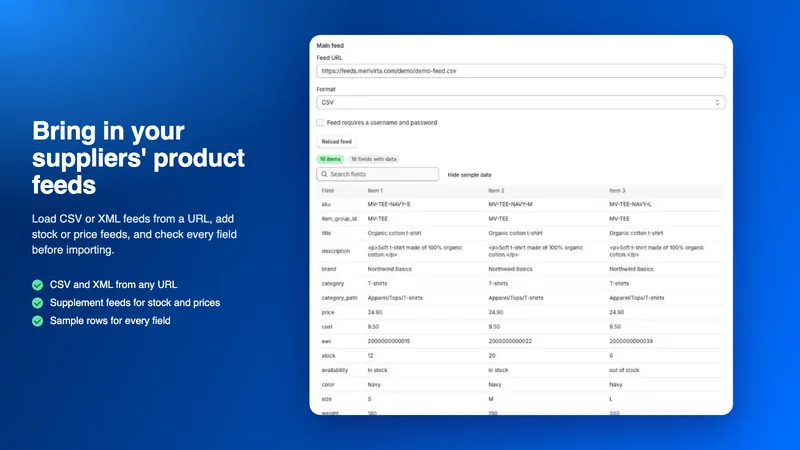
Bring in your suppliers’ product feeds
Load CSV or XML feeds from a URL, add stock or price feeds, and check every field before importing.
-
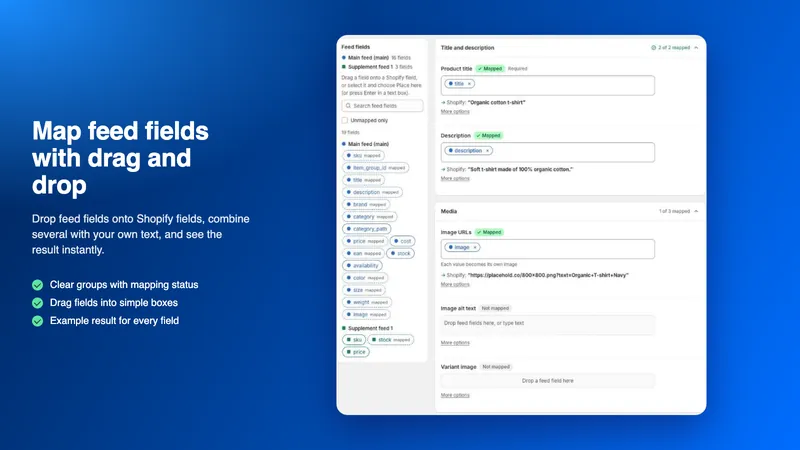
Map feed fields with drag and drop
Drop feed fields onto Shopify fields, combine several with your own text, and see the result instantly.
-
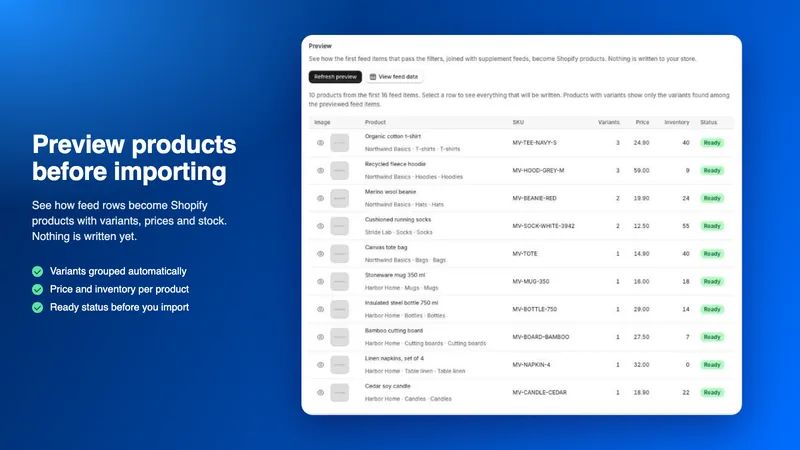
Preview products before importing
See how feed rows become Shopify products with variants, prices and stock. Nothing is written yet.
-
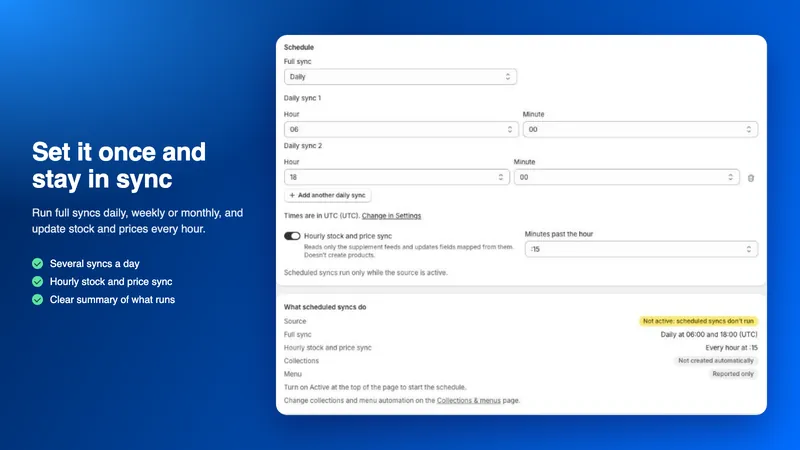
Set it once and stay in sync
Run full syncs daily, weekly or monthly, and update stock and prices every hour.
-
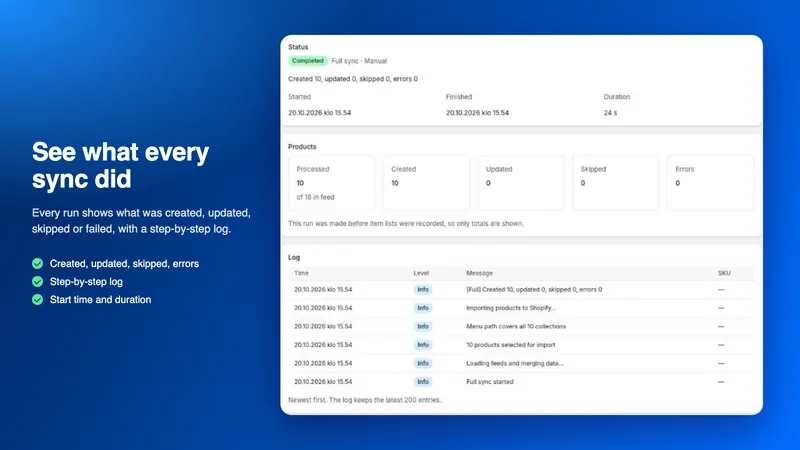
See what every sync did
Every run shows what was created, updated, skipped or failed, with a step-by-step log.
How it works
-
Turn on store updates
Install the app and enable store updates in Settings. Until you do, the app never writes to your store.
-
Add a supplier feed
Give the source a name, paste the feed URL and load the feed.
-
Map the fields
Auto-map the fields and check the suggestions. Product title and price are required.
-
Preview and test
Preview the products, then run a test import of a few products and check them in your store.
-
Sync and schedule
Run a full sync, then schedule daily, weekly or monthly syncs.
Status and pricing
In App Store review
The app is in Shopify App Store review and not published yet. Once it is published, you install it from the Shopify App Store.
Plans differ by the number of products the app creates or links across all your sources. Variants don’t count, and a product linked by several sources counts once.
If you reach your plan’s limit, new products are no longer created, and products already imported keep updating. Nothing is deleted.
Billing goes through Shopify and appears on your Shopify bill. Plans and prices are shown in the Shopify App Store when the app is published.
Your data, your control
Import only product information you are authorised to use, such as feeds your suppliers, wholesalers or brands provide to you. The app is not a tool for copying products from other stores or websites.
Feed passwords are stored in the app, so you never need to email them. When you uninstall, syncs stop at once and your store’s data in the app is deleted after 48 hours. Products, collections and menus already in your store stay.
Frequently asked questions
Which feed formats are supported?
CSV (comma or semicolon separated, with a header row) and XML files with a repeating product element, at a public HTTP or HTTPS URL. Feeds that need a username and password (HTTP Basic authentication) are supported.
Can I combine several files from one supplier?
Yes. Each source has a main feed, and you can add supplement feeds such as a separate stock or price file. Supplement rows are joined to the main feed by a field such as SKU or EAN, and a supplement feed also enables the hourly stock and price sync.
My feed has availability text instead of quantities.
Map inventory quantity to the availability field and turn availability text into inventory. “In stock” becomes a quantity you choose, and “out of stock”, “sold out”, “preorder” and “backorder” become 0. You can add your own values.
Will the app create duplicates of products I already have?
No, when you choose how to link existing products: by SKU, barcode, Shopify product ID or handle. A product is linked only when exactly one product matches, and after the first link the app always updates it by its Shopify ID.
Can I keep my own edits in Shopify?
Yes. Turn off the fields you edit yourself, and scheduled syncs leave them alone. Unchanged products are skipped.
What does the app change in my store?
Only what you configure: products and variants, the fields you choose, inventory at the location you choose and, if you turn them on, collections, menus and what happens to products removed from the feed. You can turn store updates off at any time.
Questions about Product Feed Manager?
Ask our assistant about the app, or tell us what you need. We also build custom versions of our apps and integrations around the way you work.