
In App Store review
AI Translate
Translate your store into many languages with AI, in one job
Translate your whole store into many languages at once with AI, previewed and kept up to date.
Ask about this app See the features
What it does
Translate products, collections, pages, blog posts, navigation, metafields and theme texts into the languages enabled in your store. Translations are published as Shopify’s own translations, so your theme shows them automatically.
AI translation is included in every plan, powered by Claude by Anthropic, with no AI key to set up. Get a free estimate and confirm each job before any text is sent to AI. Preview products with their images in the original and the translated language, and edit and publish field by field.
Existing translations are kept unless you choose to replace them, and optional automation keeps your chosen languages current as your content changes.
Who it’s for
-
Stores selling abroad
Show products, pages and menus in your customers’ language without copying text into translation tools.
-
Stores using Shopify Markets
Write market-specific translations where a market needs its own wording.
-
Catalogues that change often
Automation keeps every chosen language current when you add or edit products.
Features
-
Many languages in one job
Translate into every language you choose at once, with AI built in.
-
Your whole store
Products, collections, pages, blog posts, menus, metafields, theme texts and more.
-
Free estimate first
See the fields and words per section and language, and confirm before any text is sent to AI.
-
Preview and edit
Preview products with images in both languages, edit any field, save drafts or publish field by field.
-
Your translations are kept
Existing and manual translations stay unless you choose to replace them. URL handles never change in AI jobs.
-
Automation
Optional automation keeps chosen languages current when content changes. Off by default.
-
Exclusions
Keep a language, an item or a single field out of AI translation and handle it yourself.
-
Results and undo
Results per language, pause or cancel a running job, and undo a finished one.
See it in action
-
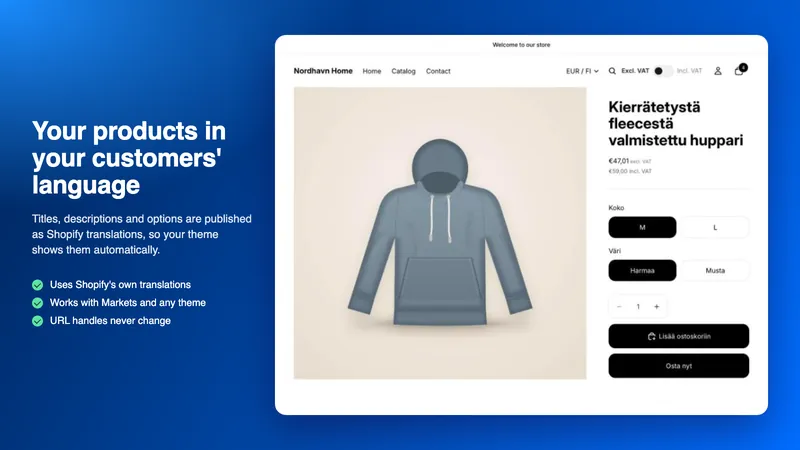
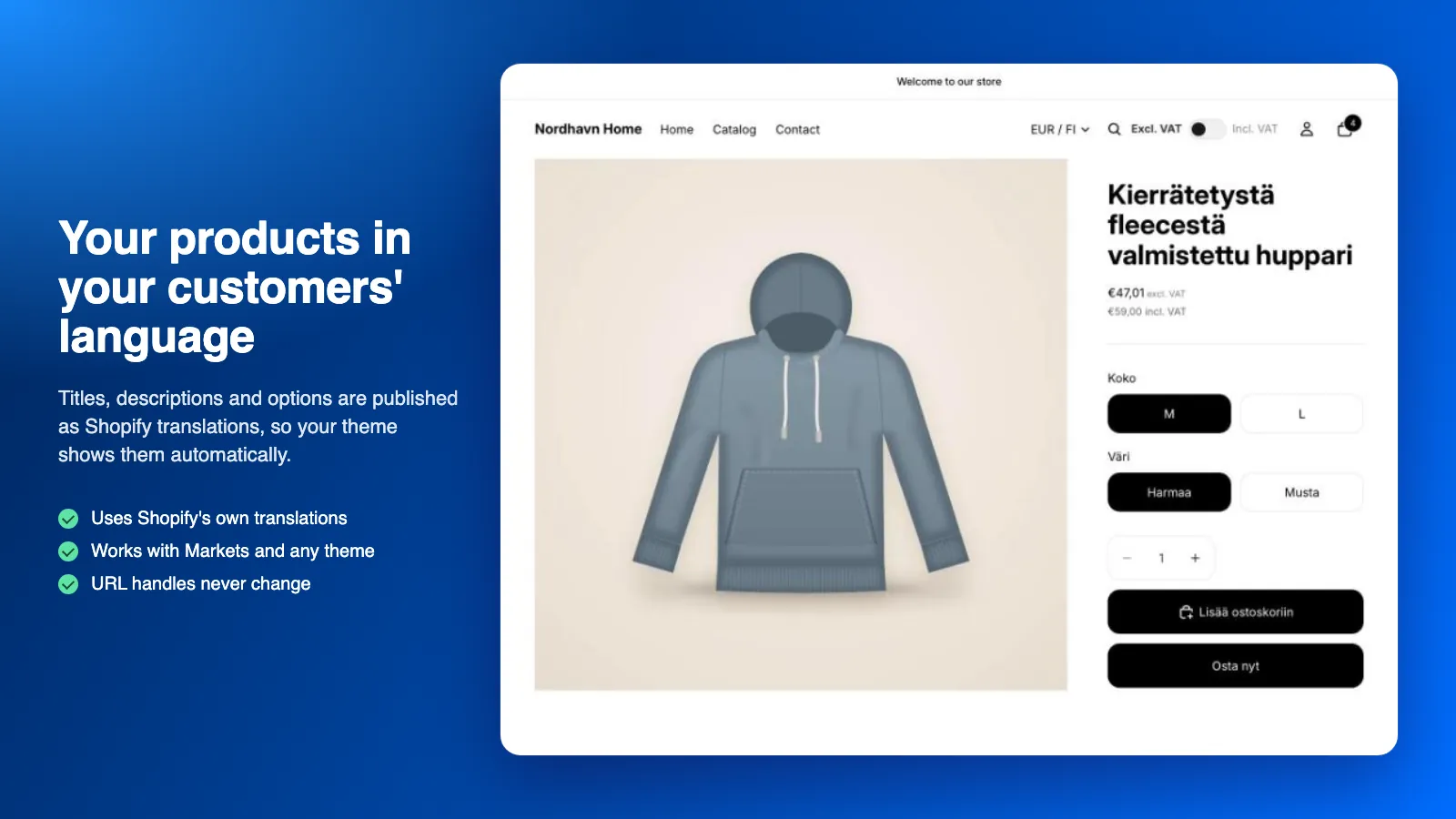
Your products in your customers’ language
Titles, descriptions and options are published as Shopify translations, so your theme shows them automatically.
-
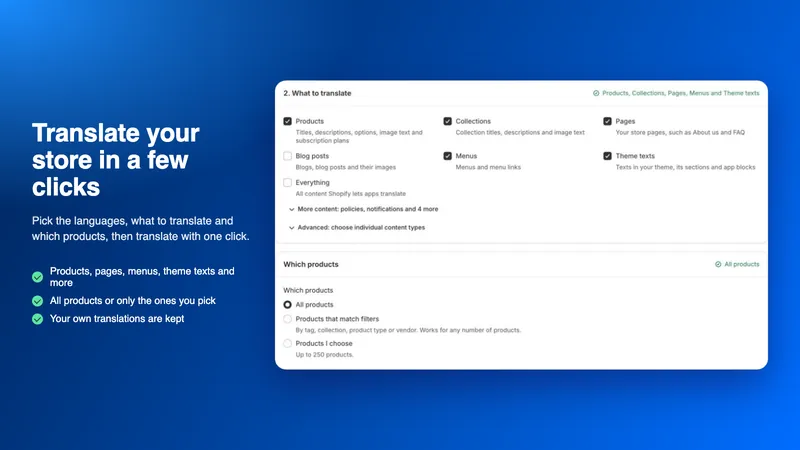
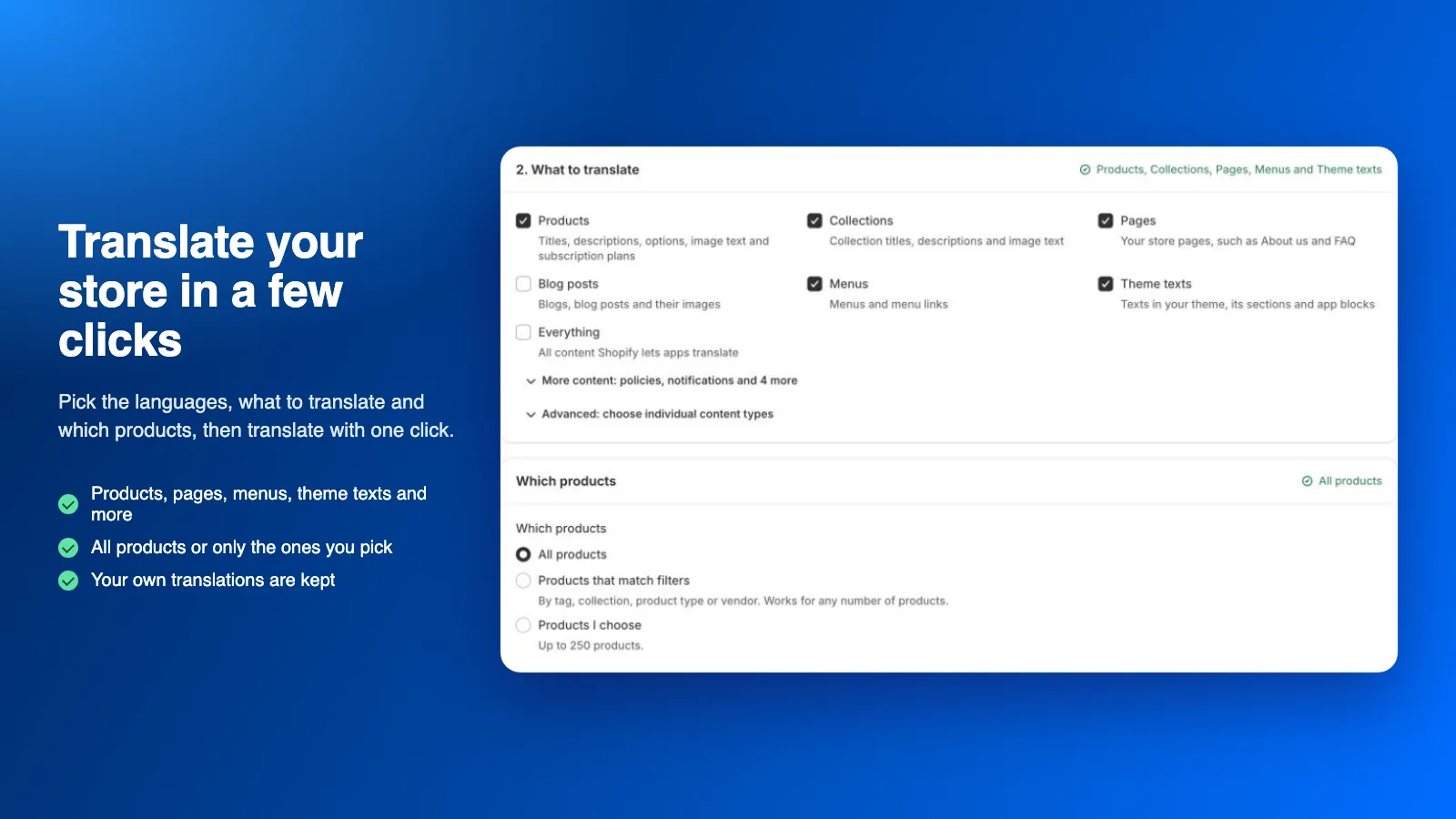
Translate your store in a few clicks
Pick the languages, what to translate and which products, then translate with one click.
-
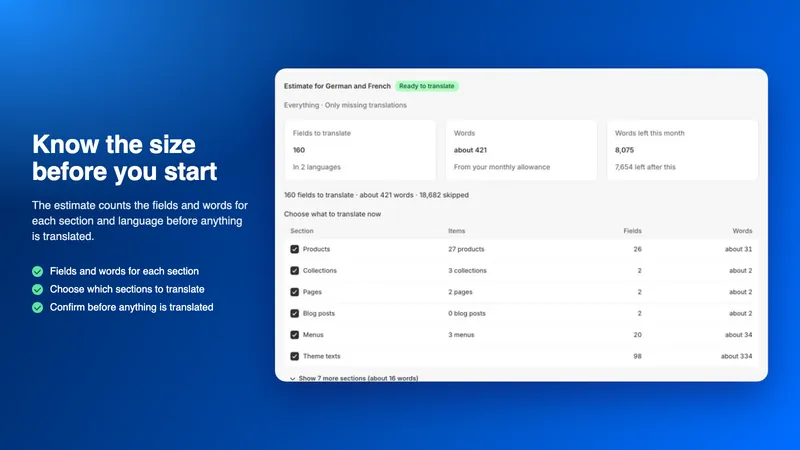
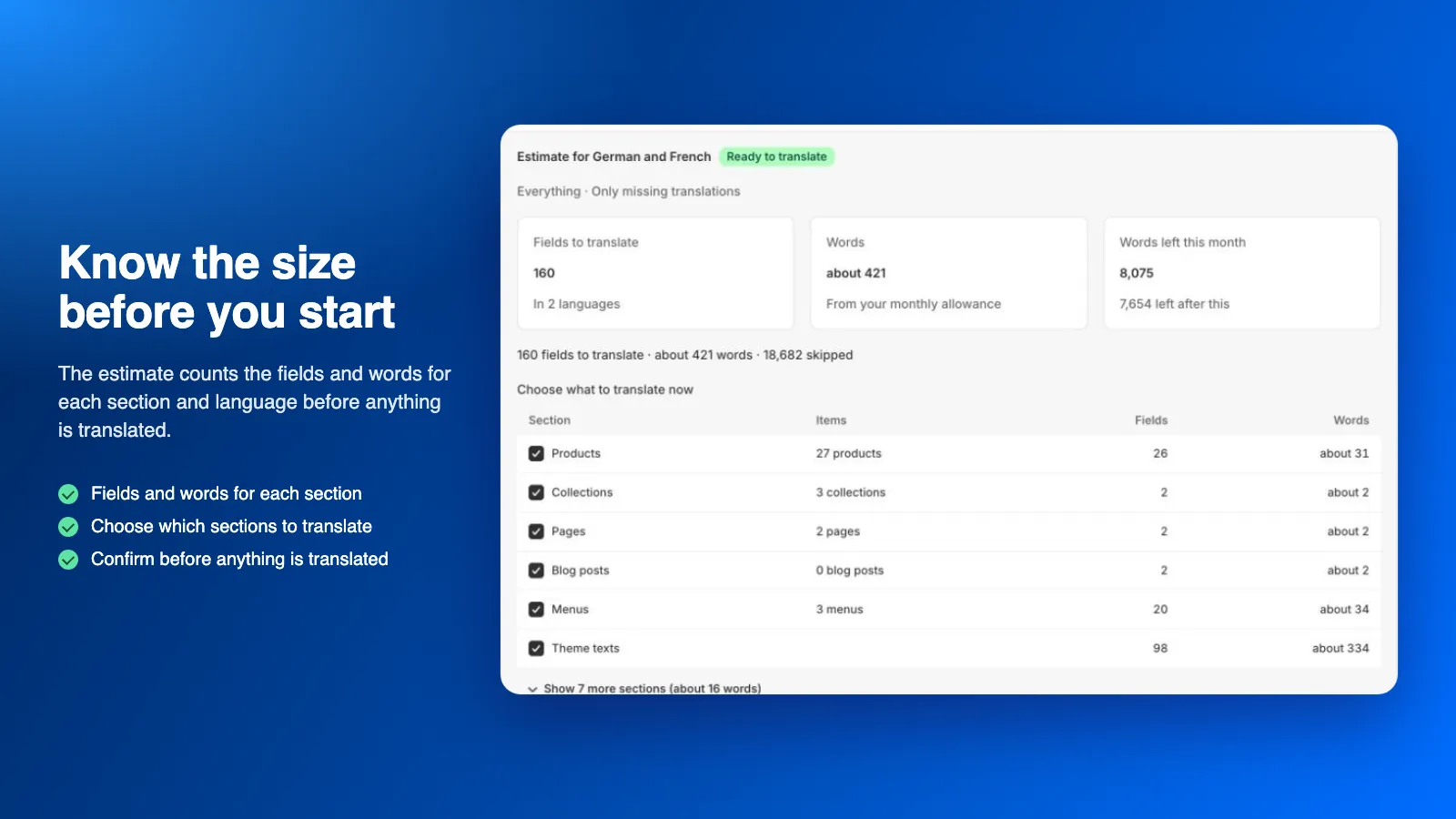
Know the size before you start
The estimate counts the fields and words for each section and language before anything is translated.
-
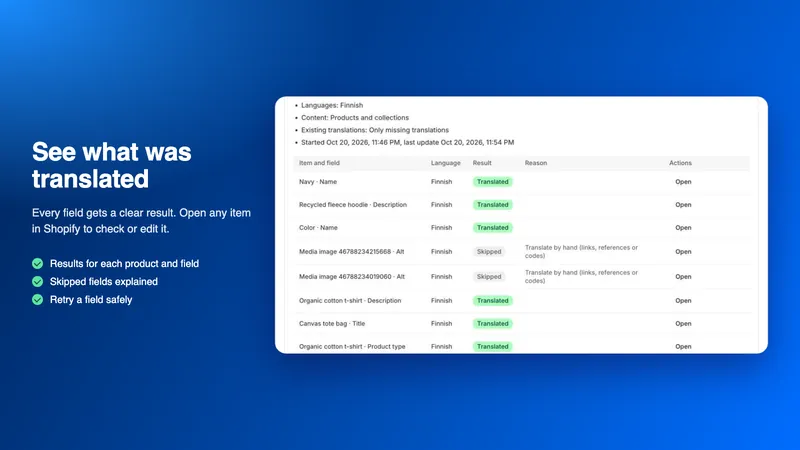
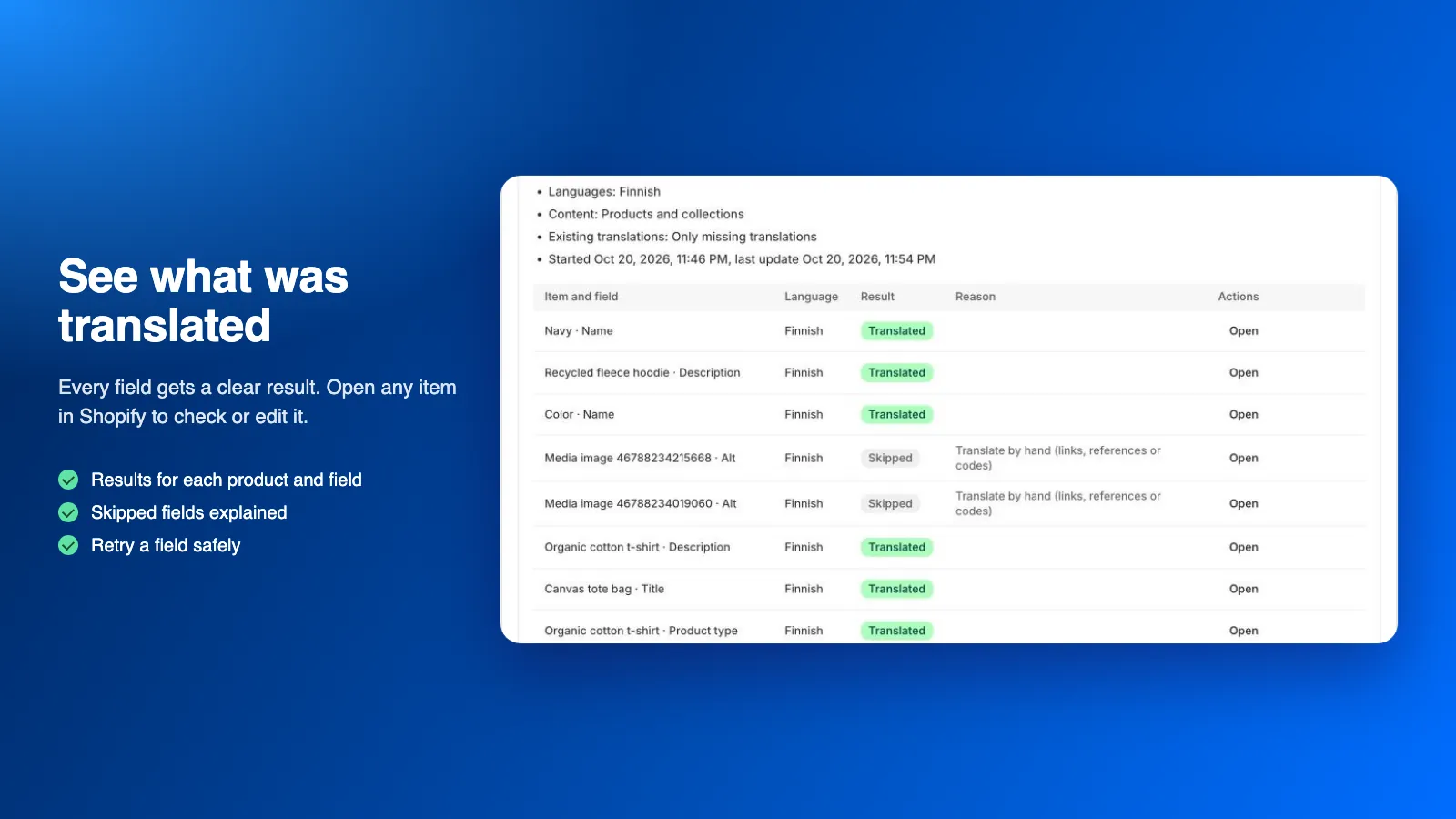
See what was translated
Every field gets a clear result. Open any item in Shopify to check or edit it.
How it works
-
Add a language in Shopify
Add the languages in your Shopify settings. They can stay unpublished while you prepare. The app never adds or publishes languages.
-
Give your consent
Allow the app to publish translations and to send store text to AI.
-
Run a free estimate
Choose languages and content types. The estimate counts what would be translated, without AI calls or store changes.
-
Translate
Check the estimate and confirm the job. Follow the results for each language.
-
Review and keep current
Edit any translation in the editor, and turn on automation if you want new changes translated too.
Status and pricing
In App Store review
The app is in Shopify App Store review and not published yet. Once it is published, you install it from the Shopify App Store.
Plans differ by the number of target languages and the words translated per month. AI translation and every feature are included in every plan: no AI key and no separate AI bill.
Words count only when the AI returns a usable translation; estimates and your own edits never use words. When the month’s words are used up, translation pauses until the reset or an upgrade. Extra words are optional: turn them on in Plans and each full 1,000 words cost $0.20 on your next Shopify bill, within a monthly limit you choose or with no limit. Before a translation that goes past your plan, the estimate shows the cost and you approve it before it starts.
Billing goes through Shopify and appears on your Shopify bill. Plans and prices are shown in the Shopify App Store when the app is published.
Your data, your control
Only the store text being translated is sent, with its field type and the languages, to our AI service, which uses Anthropic’s Claude. No customer or order data is sent, and nothing is sent before you give your consent.
When you uninstall, jobs and automation stop at once and your store’s data in the app is deleted after 48 hours. Translations already published stay in your store.
Frequently asked questions
Do I need an AI account or API key?
No. AI translation is included in every plan. Translations run on Claude by Anthropic through our own AI service, so there is nothing to connect and no separate AI bill.
How are words counted?
The words of your store text sent to AI, once per target language: a 100-word description translated into 3 languages uses 300 words. HTML tags, links and placeholders are not counted.
Are my existing translations overwritten?
Not by default. Jobs fill only missing (or missing and outdated) translations. Replacing existing ones needs a separate choice and confirmation.
Does the app translate URL handles?
AI jobs never change URL handles. You can translate a handle manually in the editor with a separate confirmation, because it changes the page address.
Does the app support Shopify Markets?
Yes, with the optional markets permission. Choose a market to write market-specific translations; without one, translations apply to every market that has no override of its own.
Which languages can the AI translate into?
The languages enabled in your store that are in the app’s catalogue of 37 languages, from Arabic, Chinese and Japanese to Finnish, Swedish and every major European language. Review important pages before publishing.
Questions about AI Translate?
Ask our assistant about the app, or tell us what you need. We also build custom versions of our apps and integrations around the way you work.