
On the Shopify App Store
AI Optimizer
Better product pages and SEO with AI, approved by you
Improve product titles, descriptions, SEO, URLs and alt text with AI, previewed before you apply.
Install from the Shopify App Store Ask about this app See the features
What it does
AI Optimizer writes new titles, descriptions, SEO titles and meta descriptions for your products and collections, for both search engines and AI assistants. It can also clean up product URLs with an automatic redirect from the old address, write alt text for your images, and add a short summary and key highlights for your theme.
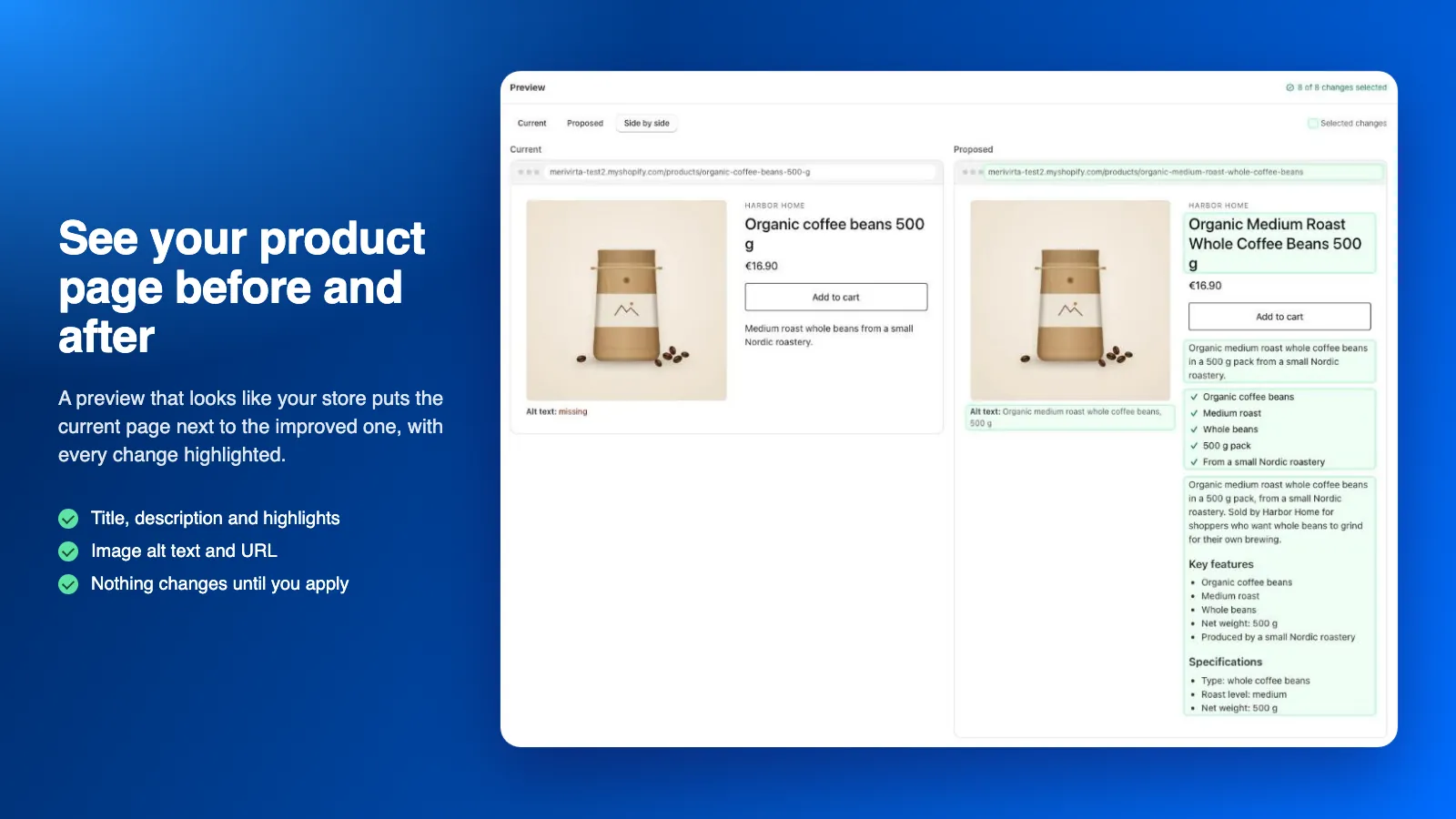
You see your product page before and after, side by side, as it looks in your store. Edit any proposal, preview the search result and apply only the fields you want. Edits made in Shopify in the meantime are never overwritten, and applied changes can be reverted.
AI is included in every plan, with no AI account or key to set up.
Who it’s for
-
Stores with thin product copy
Turn short or supplier-written descriptions into clearer product pages, using only the facts already in your product data.
-
Merchants who want more search traffic
Better SEO titles and meta descriptions with your own target keywords, for search engines and AI assistants.
-
Large catalogues
Optimize one item or the whole catalogue in the background, with clear results and undo for any run.
Features
-
Before and after, side by side
A preview that looks like your store puts the current page next to the improved one, with every change highlighted.
-
Titles, descriptions and SEO
Rewrite titles, descriptions, SEO titles and meta descriptions for products and collections.
-
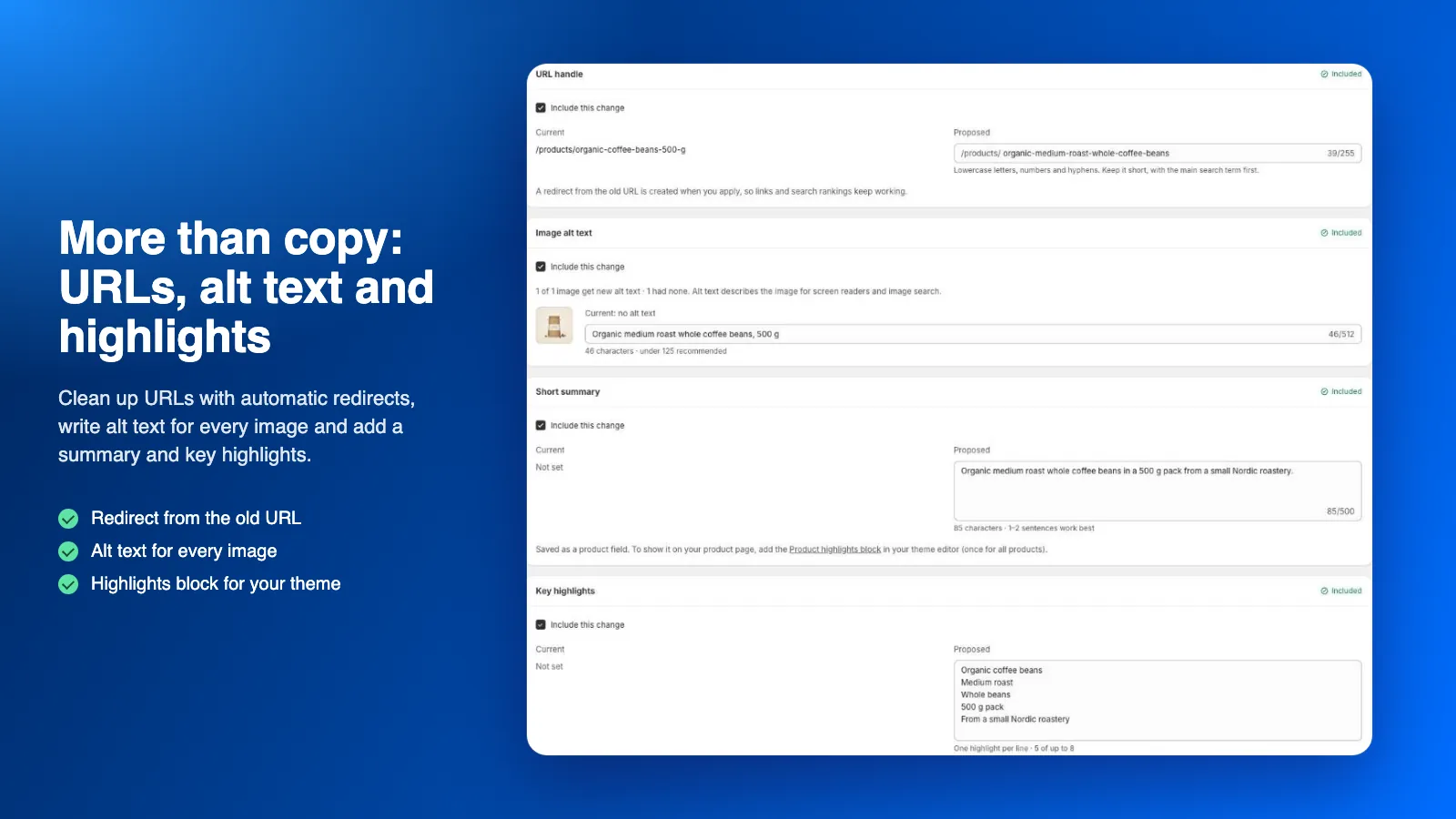
Clean URLs with redirects
Tidy up product URLs, with an automatic redirect from the old address on by default.
-
Alt text and highlights
Write alt text for every image and add a short summary and key highlights, shown with the Product highlights theme block.
-
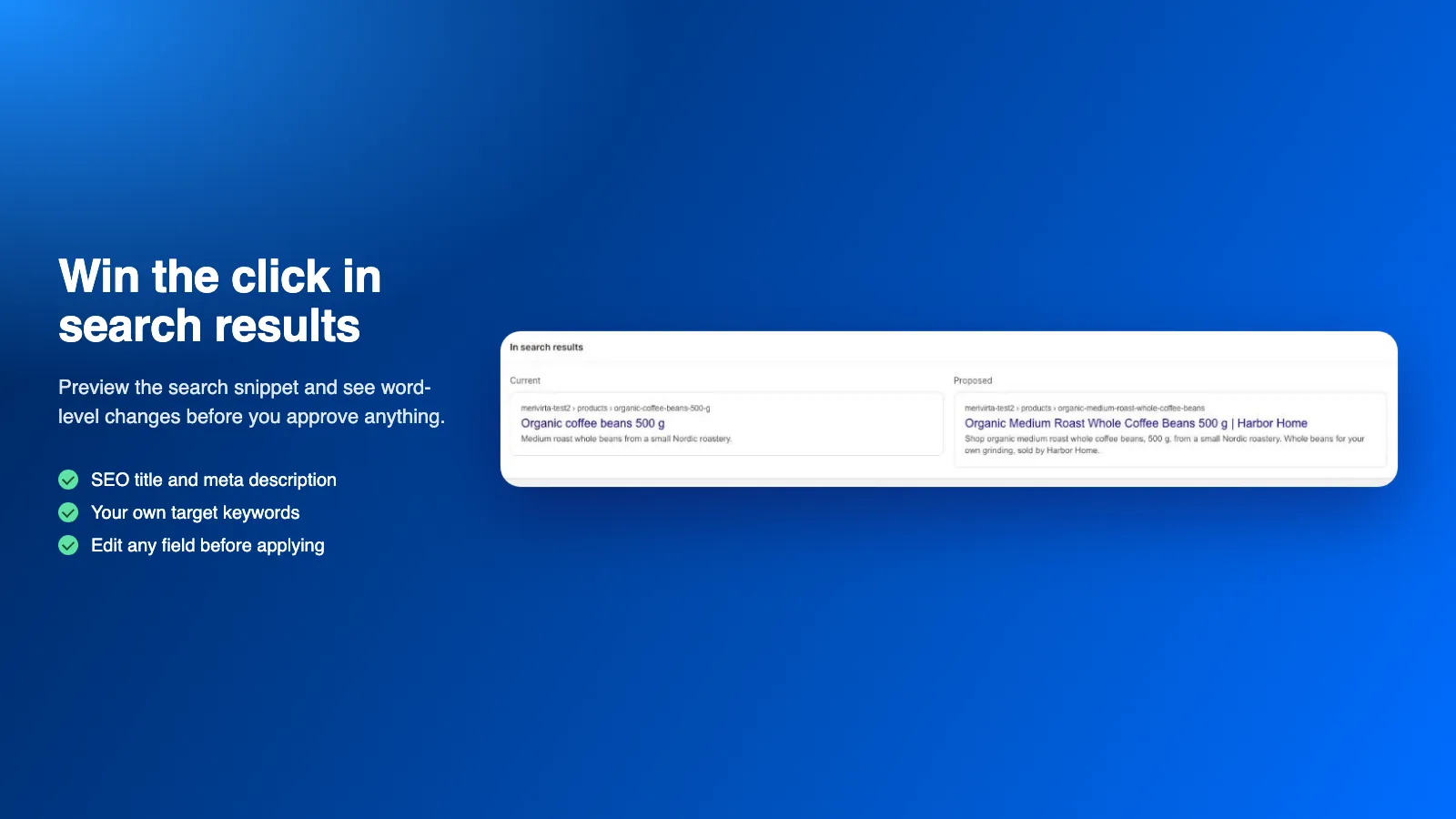
Search result preview
Preview the search snippet with your own target keywords and see word-level changes before you approve.
-
Bulk jobs with undo
Run large jobs in the background with clear results, pause and cancel, and undo for any run.
-
Grounded in your data
Proposals that reference facts not found in your product data are rejected. Prices, stock and variants are never changed.
-
Your language and brand voice
Write in the source language or in one of 13 languages, in your own brand voice. AI included, no API key.
See it in action
-
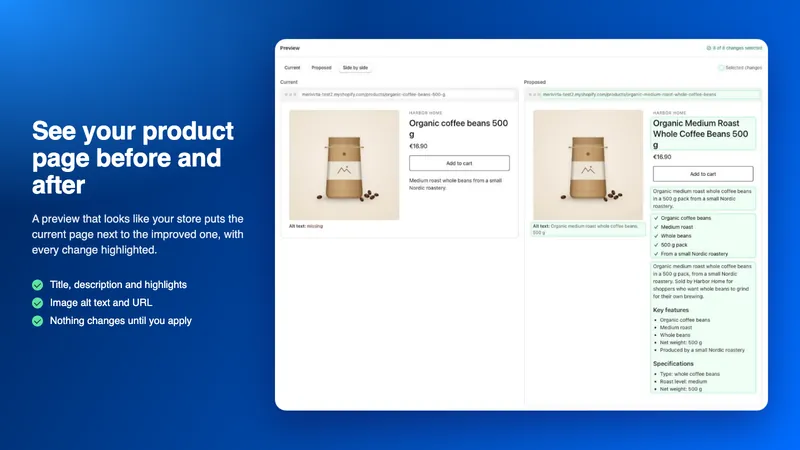
See your product page before and after
A preview that looks like your store puts the current page next to the improved one, with every change highlighted.
-
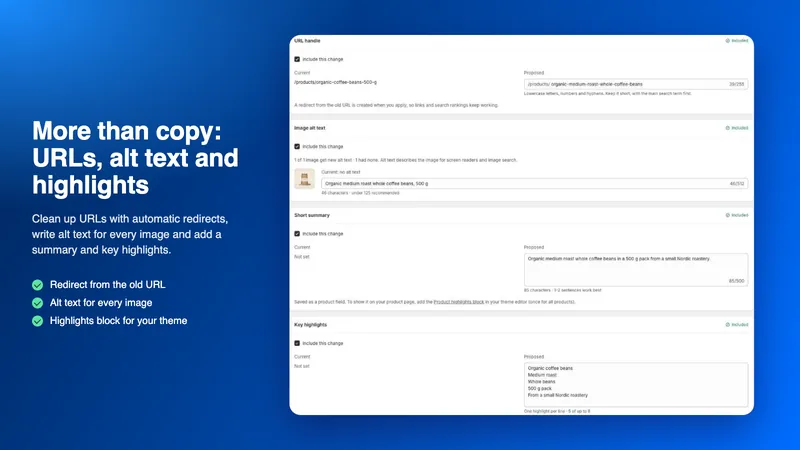
More than copy: URLs, alt text and highlights
Clean up URLs with automatic redirects, write alt text for every image and add a summary and key highlights.
-
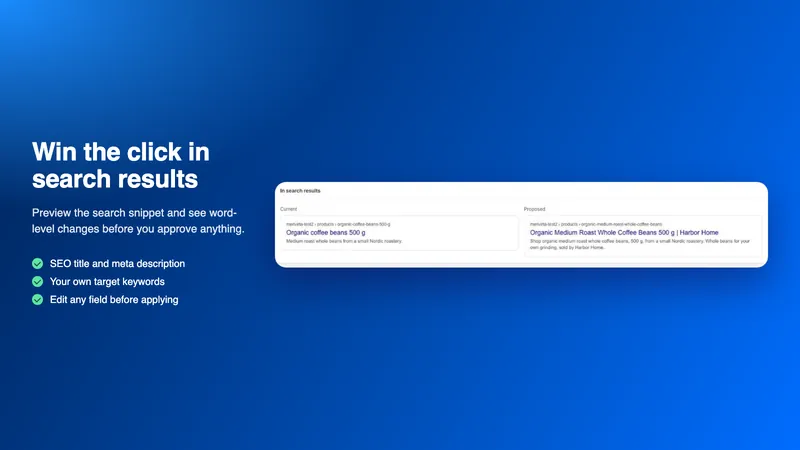
Win the click in search results
Preview the search snippet and see word-level changes before you approve anything.
-
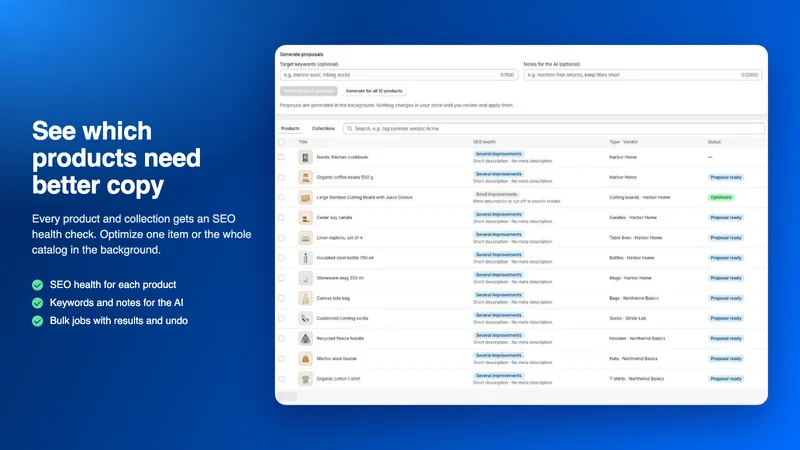
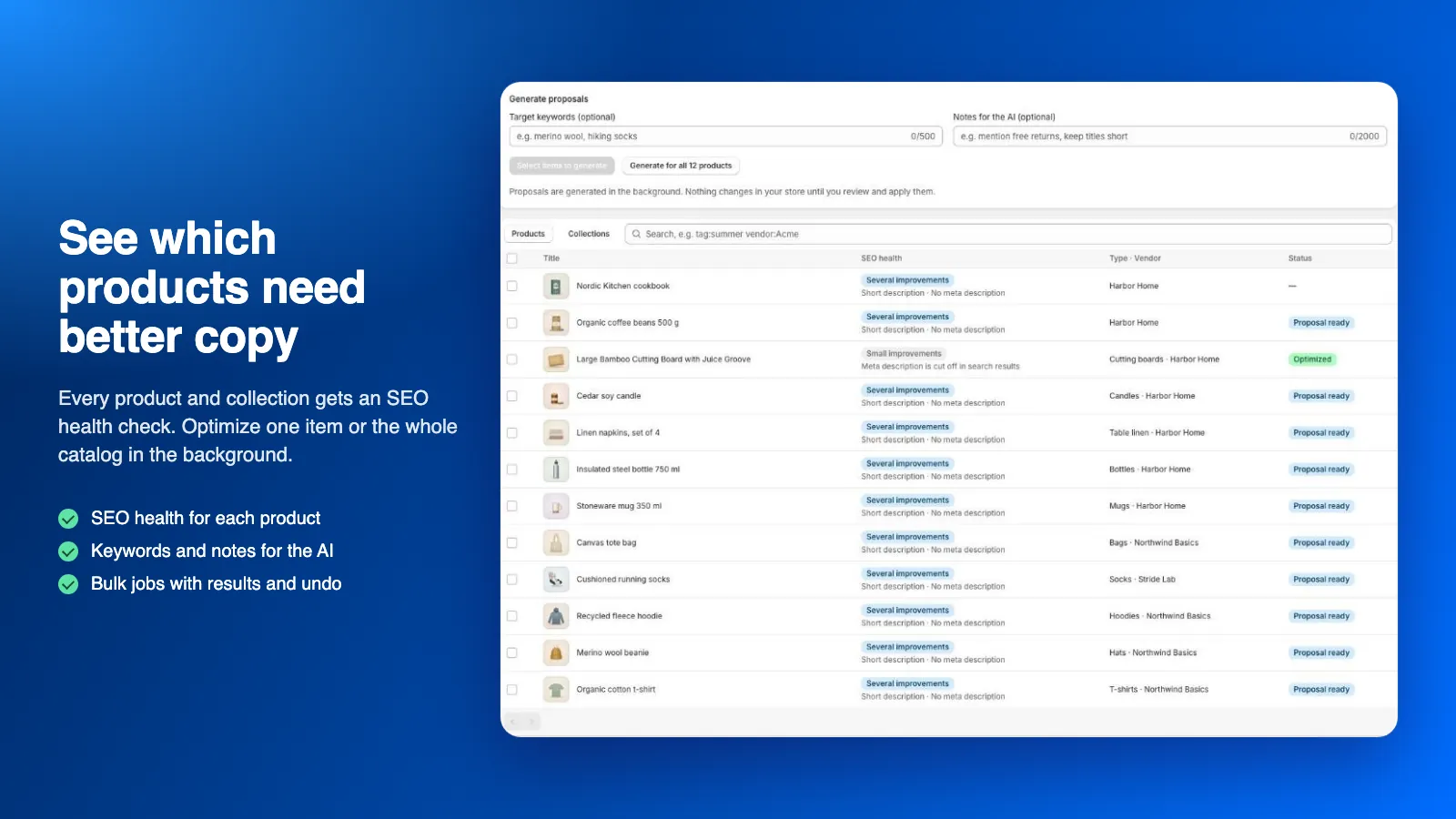
See which products need better copy
Every product and collection gets an SEO health check. Optimize one item or the whole catalog in the background.
-
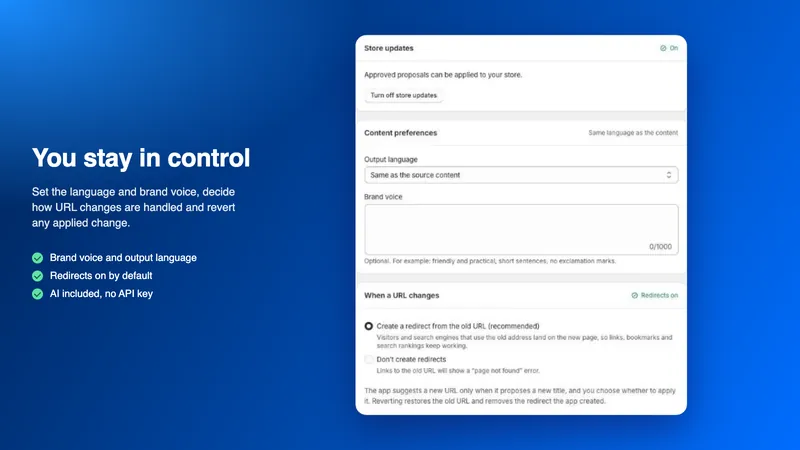
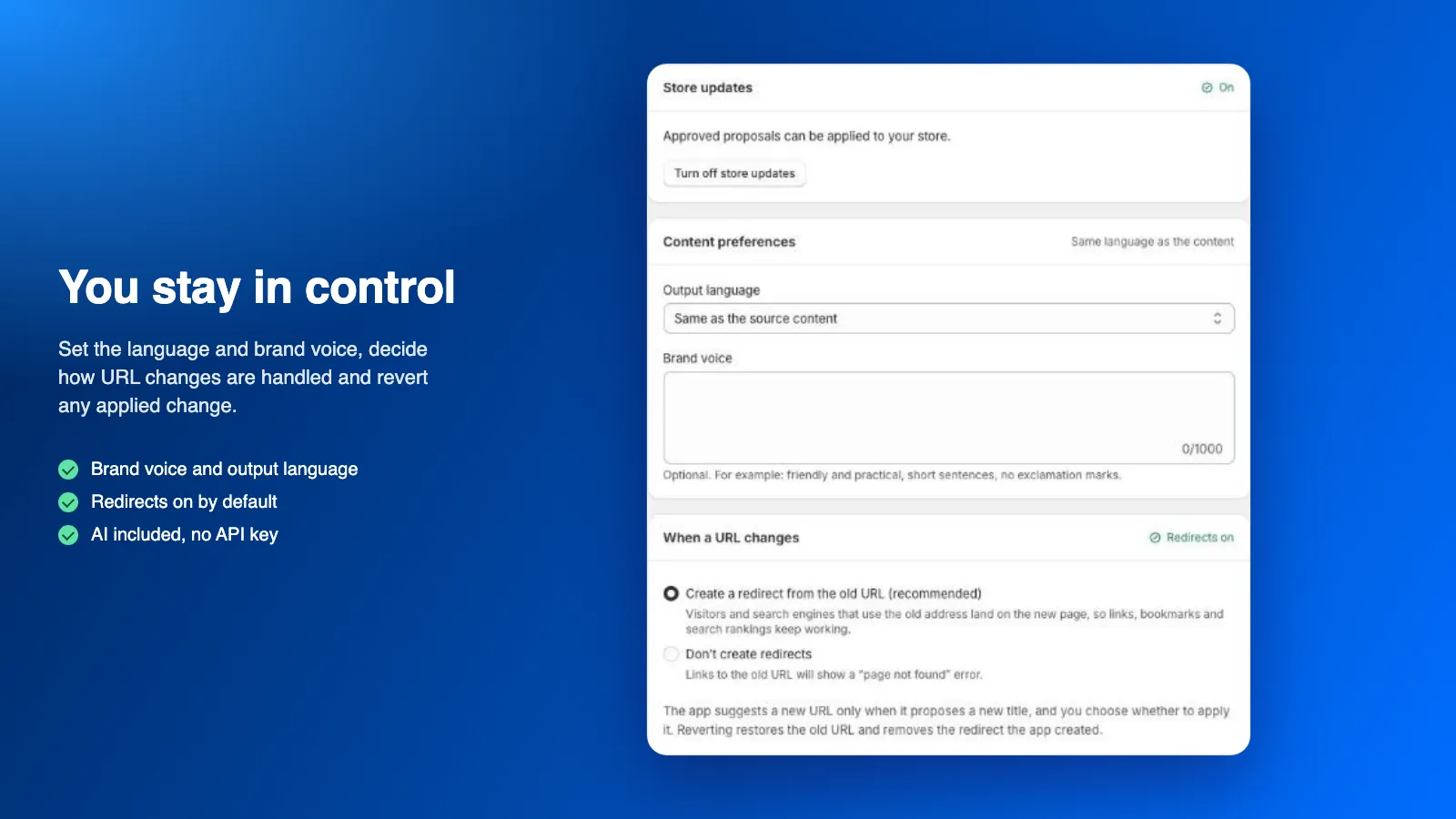
You stay in control
Set the language and brand voice, decide how URL changes are handled and revert any applied change.
How it works
-
Allow AI processing
In Settings, allow product text to be processed with AI. Optionally set the output language and your brand voice.
-
Turn on store updates
Confirm store updates, so the changes you approve can be applied.
-
Pick products and collections
Select items in the catalog, or straight from the Shopify product list or Sidekick, add keywords or notes and generate proposals.
-
Review and edit
Compare the current and proposed text, edit any field and check the search result preview.
-
Apply, or revert later
Apply only the fields you choose. Every applied change can be reverted.
Status and pricing
On the Shopify App Store
The app is published on the Shopify App Store. Install it from there, and every plan starts with a free trial.
Plans differ by the number of AI proposals per month; one proposal covers one product or collection. AI is included in every plan: no AI account, no key and no separate AI bill.
When the month’s proposals are used up, new proposals stop until next month or an upgrade, and existing proposals can still be reviewed, applied and reverted. Extra proposals are optional: turn them on in Plans and each one costs $0.02 on your next Shopify bill, within a monthly limit you choose or with no limit. Before a run that goes past your plan, the app shows the estimated cost and the run starts only after you approve it.
Billing goes through Shopify and appears on your Shopify bill. Plans and prices are shown on the app’s Shopify App Store listing.
Your data, your control
Only the text of the products and collections you choose is sent to the AI, with your keywords, brand voice and notes. Prices, the images themselves, and customer or order data are not sent. Anthropic does not train its models on this data.
Nothing is written until you turn on store updates and approve a proposal. When you uninstall, running jobs stop and your store’s data in the app is deleted after 48 hours. Changes you applied stay in your store.
Frequently asked questions
Do I need an AI account or API key?
No. AI is included in every plan. Proposals are written by Anthropic Claude, run by us. You only allow AI processing once in Settings.
What does the app change in my store?
Only the changes you approve: title, description, SEO title and meta description and, if you tick them, the URL handle (with a redirect), image alt text, and a summary and key highlights. Prices, inventory, variants, tags, images and collection rules are never changed.
Can I undo an applied change?
Yes. Revert one proposal or several at once. If the field was edited in Shopify after the change was applied, the app keeps your newer edit.
What if I edit a product while a proposal is waiting?
Before writing, the app checks that each field still has the value the proposal was based on. If it changed, the proposal is marked Needs attention and nothing is overwritten.
Does the AI make things up?
The AI is asked to use only facts from your product data, and proposals that reference facts not found there are rejected. AI output can still be wrong, so review every proposal before applying it.
Which languages are supported?
Proposals can be written in the language of your current content or in English, Finnish, Swedish, Norwegian, Danish, German, French, Spanish, Italian, Dutch, Estonian, Polish or Portuguese. The app’s own interface is in English.
Questions about AI Optimizer?
Ask our assistant about the app, or tell us what you need. We also build custom versions of our apps and integrations around the way you work.